
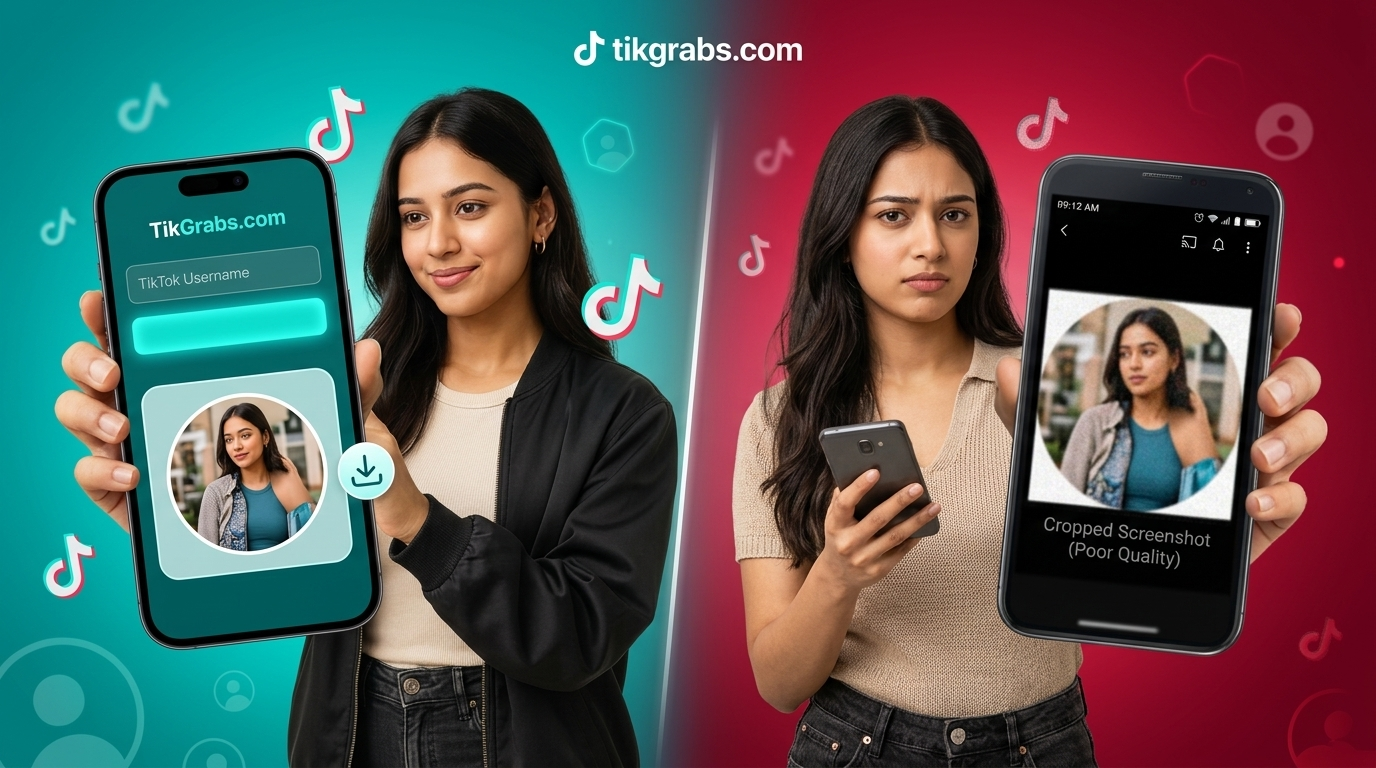
TikTok Profile Picture Downloader vs Screenshot — What's the Real Difference
A side-by-side look at why a TikTok profile picture downloader beats a screenshot on quality, speed, and convenience — with a full comparison table and step-by-step guide
Someone's profile picture opens up bigger when you tap it. You grab a screenshot fast, before it closes again. Then later — opening the file, actually looking at it — it's smaller than expected, a bit soft at the edges, and there's a corner of the app's interface caught in the shot. Small gap. Real one, though, and worth understanding before assuming a screenshot does the same job as an actual download.
What a Screenshot Actually Captures
A screenshot doesn't grab the profile picture file itself. It captures whatever's rendered on your screen at that exact moment — your display's resolution, whatever compression your phone applies when saving an image, and anything else visible on screen at the time, including bits of TikTok's own interface if your timing is slightly off.
That's an important distinction. The profile picture, as a file, exists somewhere on TikTok's servers at a certain resolution. A screenshot doesn't touch that file directly — it's a photo of a photo, taken through your phone's display and its own image-saving process. Every one of those steps costs a little clarity.
What a Profile Picture Downloader Does Instead
A TikTok profile picture downloader skips that whole chain. Instead of capturing your screen, it goes and retrieves the actual image file tied to that account — the same one TikTok is displaying, just without your device's screen and compression sitting between you and it.
The practical result is simple: no status bar, no stray UI icon, no extra layer of compression stacked on top of TikTok's own. What you get back is closer to what the account owner actually uploaded.
TikTok Profile Downloader vs Screenshot — Side by Side
| ScreenshotProfile Picture Downloader | ||
| Source | Your device's screen | The actual image file |
| Interface elements | Often included accidentally | Never included |
| Compression layers | TikTok's + your device's | TikTok's only |
| Resolution ceiling | Limited by your screen | Limited by the original upload |
| Extra steps needed | Cropping, sometimes retaking | None — the file's already clean |
| Works without opening the app | No | Yes, with a link or username |
The table makes the pattern pretty clear: a screenshot adds steps and loses quality along the way. A downloader removes both problems by going straight to the source.
How Does a TikTok Profile Downloader Actually Work?
There's no hidden trick here — no bypassing security, no accessing anything that isn't already public. The process is a straightforward retrieval:
- You provide the account's username or profile link.
- The tool requests the profile picture file associated with that account, the same one TikTok already displays publicly.
- It hands that file back to you, ready to save.
That's the entire mechanism. It only works on public profiles, for the same reason you couldn't view a private account's picture in the app without following them first — the tool isn't doing anything TikTok itself doesn't already allow anyone to see.
How to Use a TikTok Profile Downloader the Right Way
Using one properly comes down to a handful of steps, and none of them require technical knowledge.
Get the username or profile link. Either works, depending on the tool — some accept a plain @username, others want the full profile URL copied from TikTok's share menu.
Paste it into the downloader. No account creation, no app install if you're using a browser-based tool.
Preview before saving, if the option's there. A quick check confirms it's actually the right account before the file lands on your device.
Save the file. On mobile it typically goes to your Photos app or Downloads folder; on desktop, wherever your browser saves downloads by default.
Done right, the whole thing takes less time than lining up a decent screenshot — and the result doesn't need cropping afterward.
What About Slideshows and Other Profile Content?
Profile pictures aren't the only thing people end up trying to screenshot instead of properly saving. TikTok slideshows run into a similar problem — screenshotting each slide individually is slow, and the quality drops the same way it does with a profile picture. A TikTok slideshow downloader works on the same underlying idea: pulling the actual images directly rather than capturing them off a screen one at a time.
Is a TikTok Profile Picture Downloader Better Than a Screenshot?
For anything beyond a quick, throwaway glance, yes — a downloader consistently gives you a cleaner result with less effort. A screenshot still has its place for something casual and immediate, but the moment quality or convenience actually matters, the gap between the two methods becomes obvious.
A Note on Respectful Use
That picture belongs to whoever posted it, plain and simple. Saving one to look at later, fine. Reposting it or reusing it without them knowing — different situation. Not sure? Ask.
Frequently Asked Questions
Is a TikTok Profile Picture Downloader Better Than a Screenshot? Usually, yes. A downloader pulls the actual image file instead of capturing your screen — skips the interface clutter, skips the extra compression, skips the cropping you'd otherwise have to do after.
Why Use a TikTok Profile Picture Downloader Instead of Zooming In? Zooming in doesn't create detail that wasn't there to begin with. It just stretches the pixels you've already got, which tends to make things look worse, not clearer. A downloader pulls the image at its real resolution rather than blowing up a smaller one.
Can a TikTok Profile Picture Downloader Get an HD Version Every Time? It retrieves whatever resolution TikTok has stored for that image, which is typically sharper than a screenshot — but it can't exceed what the account owner originally uploaded. If the source image itself is low-resolution, no tool can improve on that.
Does downloading a profile picture notify the account owner? No. TikTok doesn't notify users when their public profile picture is viewed or saved through an outside tool.
Can this work on a private account? No. Only public profile pictures can be retrieved this way, the same restriction that applies to viewing them in the app at all.
The Short Version
A screenshot gets you something, sure. A downloader gets you the actual thing — cleaner, sharper, none of the extra cleanup work a screenshot leaves behind. Worth those few extra seconds, most of the time.
Related posts

Ready to download?
Paste a public TikTok link and save a clean MP4, MP3, story, or slideshow.
Open video downloader